Zone Hero Image

LOGO.com Generative AI Tools

Introducing generative AI across LOGO.com's platform, giving non-designers the ability to create branded assets on their own, and building the framework that let every future AI tool ship faster.

OVERVIEW

Role
Senior UX Designer
Team
Product Manager, Engineering Team
Contributions
My contribution to this project included running competitive research on the AI creative-tool market, defining the phased product roadmap, designing the interaction and prompt system end-to-end, and presenting the direction to stakeholders.

Context

LOGO.com

LOGO.com is an all-in-one branding platform for small business owners. Users create professional logos, brand kits, one-page sites, and marketing assets, all without needing any design background.

Problem

Too much scrolling, not enough making

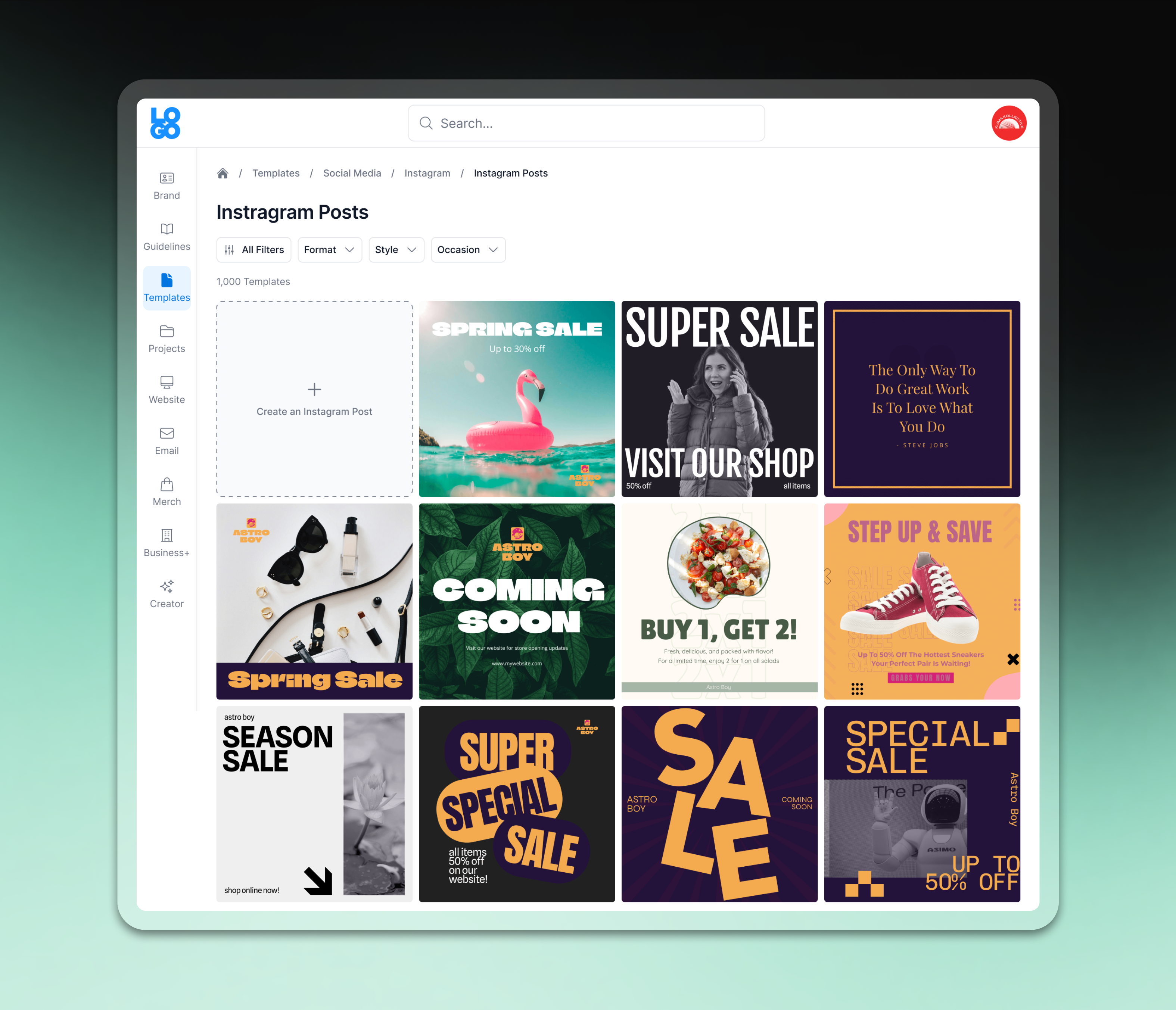
Designed templates was the highest-traffic offering on the platform, but the experience buried users in friction. They scrolled through templates hoping something would click, often abandoning before they found a fit. Even when they did find something, the editing tools added another barrier for anyone unfamiliar with design software.

Customer feedback and platform behavior pointed to the same root cause: users arrived already knowing what they wanted to make. The gap was in how much work it took to get there.
Key Takeaways from the Brief

Previous template browsing experience, where users scan through 1,000+ templates with no way to narrow down the options.

Industry Analysis

Competitors in the AI creative-tool space were moving fast, already shortening the distance from idea to finished design as generative AI became more accessible. But none of them were generating output rooted in a user's own brand identity, colors, and logo, something LOGO.com already had the data to do. That gap was where LOGO.com could differentiate rather than just catch up.

Opportunity

Framing

With the problem and the competitive landscape established, I asked myself

How might we shorten the distance between a user's idea and a finished, on-brand design, without asking them to learn a design tool first?

Research

Getting Hands-On with the Market

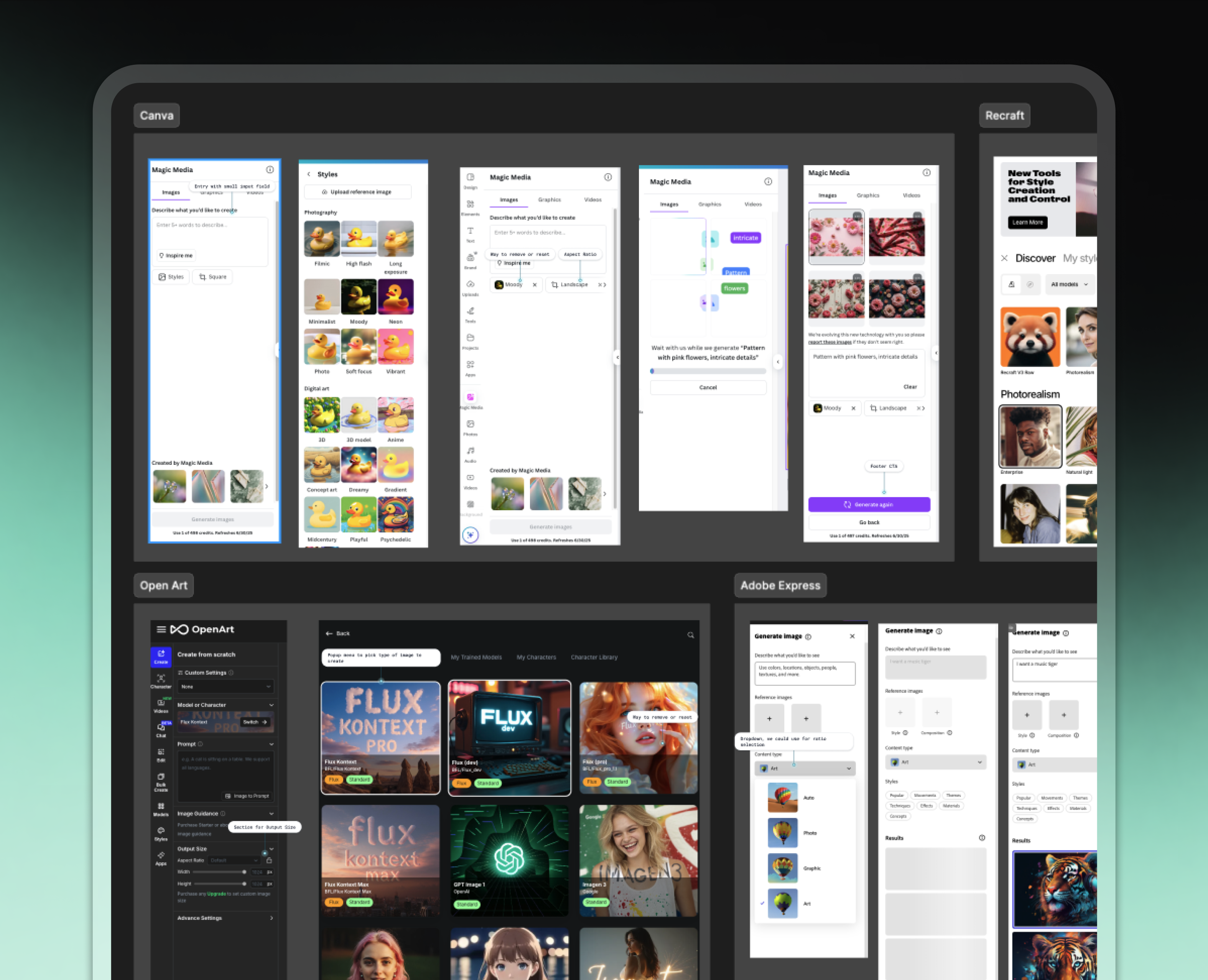
Before designing anything, I got hands-on with the market myself, running a competitive analysis across AI creative tools and using each one as a research method, testing where prompting broke down and what made a result feel worth keeping. I kept asking the same two questions of every tool: how am I being primed to create something, and what happens after I generate it?
Key Takeaways from the Brief

Competitive analysis across AI creative tools.

Understanding the Users

That research, combined with customer feedback and platform behavior, surfaced four key takeaways that shaped the direction.
01. Immediate Action
Users didn't need to grasp how the AI worked under the hood. They needed to feel like they could act on it immediately.
02. Collaborative Tone
When the experience felt like working alongside the AI rather than wrestling with it, users stayed confident and kept going.
03. Visible Progress
Each step needed to be visible so users never felt abandoned mid-generation.
04. First Impressions
The first result set the tone for whether a user trusted and continued using the tool at all.

Proposal

AI Chat - The Initial Proposal

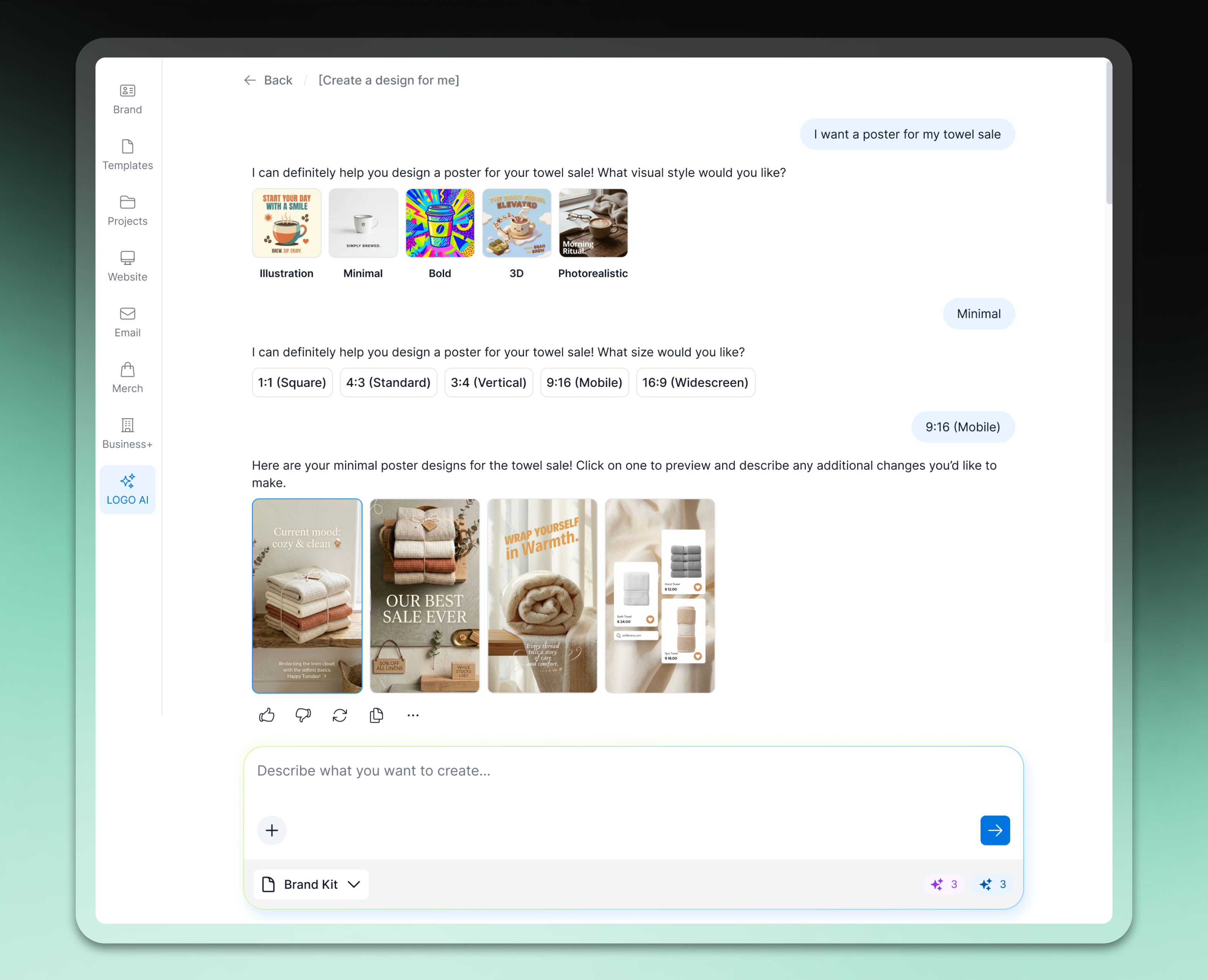
Based on the research, my initial proposal to the team was a chat-like experience with the AI. This would feel the most natural to users who'd never interacted with AI before, since chat is a pattern the industry had already established. The team agreed this was, and should be, the ultimate goal, but we needed to be smart about how we approached implementing it into the platform.
Key Takeaways from the Brief

Early concept for a chat-based creation flow, walking a user through style, size, and generation.

A Phased Framework

Building the full chat experience as one release would have meant months of upfront engineering with nothing shipped to learn from. So rather than one large bet, I broke the roadmap into three phases, each designed to validate direction with real usage before investing further in the next.
Phase 1 - AI in the Editor
Start as small as possible with text generation only, scoped to a single surface. The goal is to expose users to the concept and learn from how they responded.
Phase 2 - The Dashboard
Built the underlying system so any future AI tool, image generation, branded design, mockups, could plug into the same foundation instead of being built from scratch. The entry point then can be added to the dashboard, the platform's highest-traffic page.
Phase 3 - Chat
The original goal of a single conversational experience where generating and editing happen together in one continuous flow.

DESIGN DECISIONS

Centralized Prompt on the Dashboard

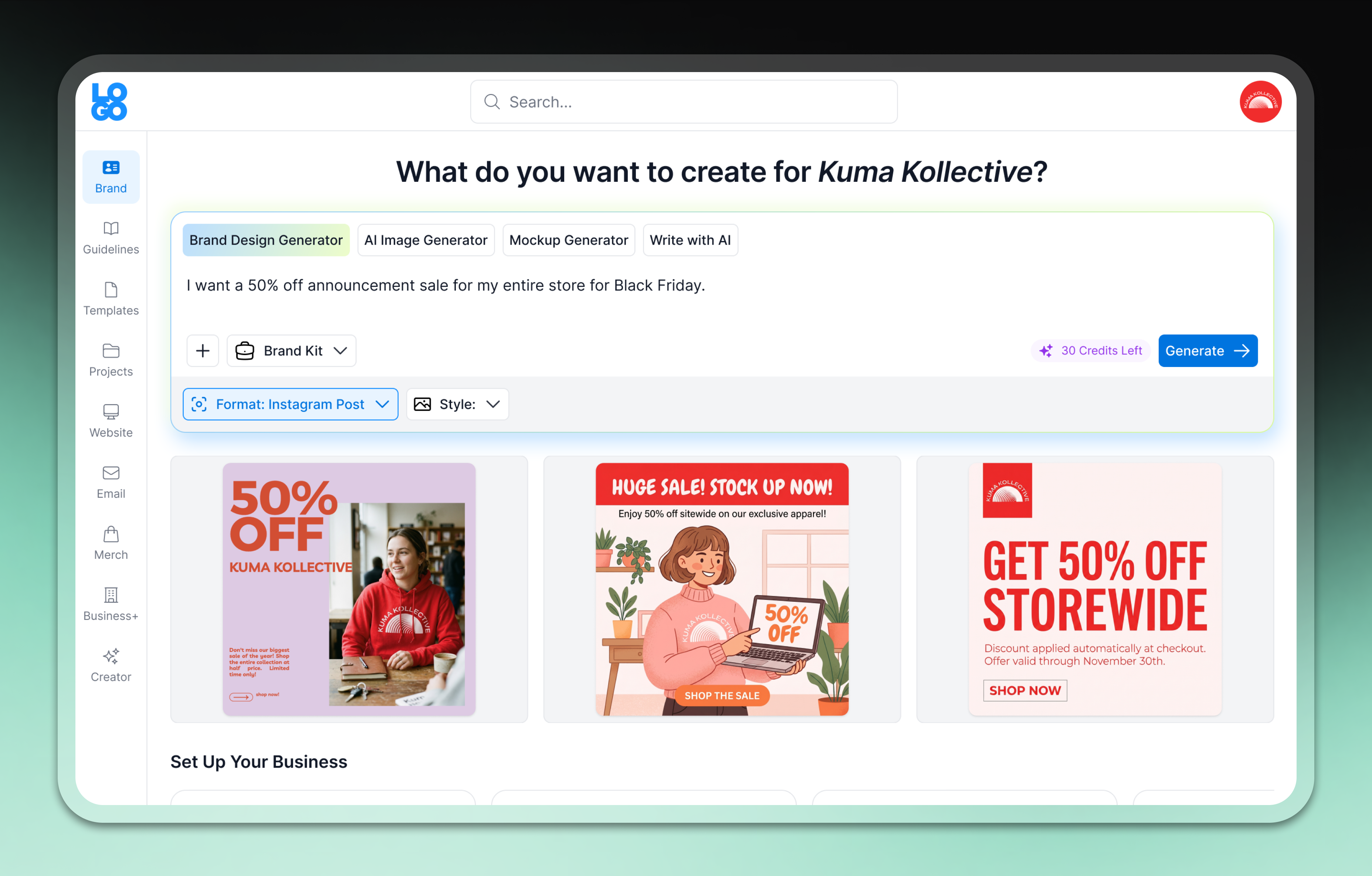
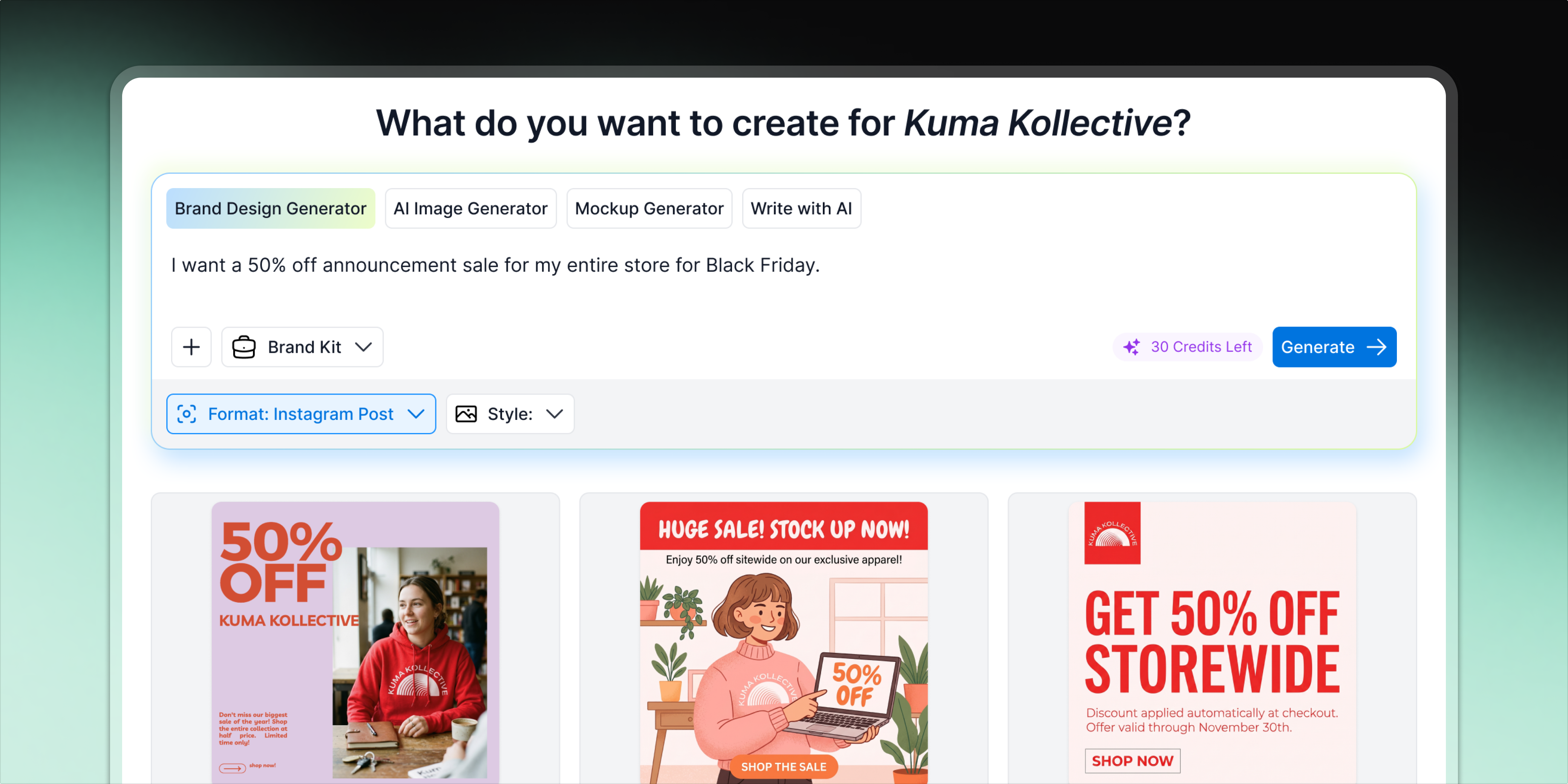
By the time I left, Phase 2 was fully shipped and the team was steadily building toward Phase 3. With that in mind, here's a closer look at the final Phase 2 design.

The generative prompt was placed on the dashboard, the platform's highest traffic surface. This ensured we got the most data on how users would interact with the prompt and what they wanted to create.
Key Takeaways from the Brief

Final Phase 2 dashboard design.

Brand Integration

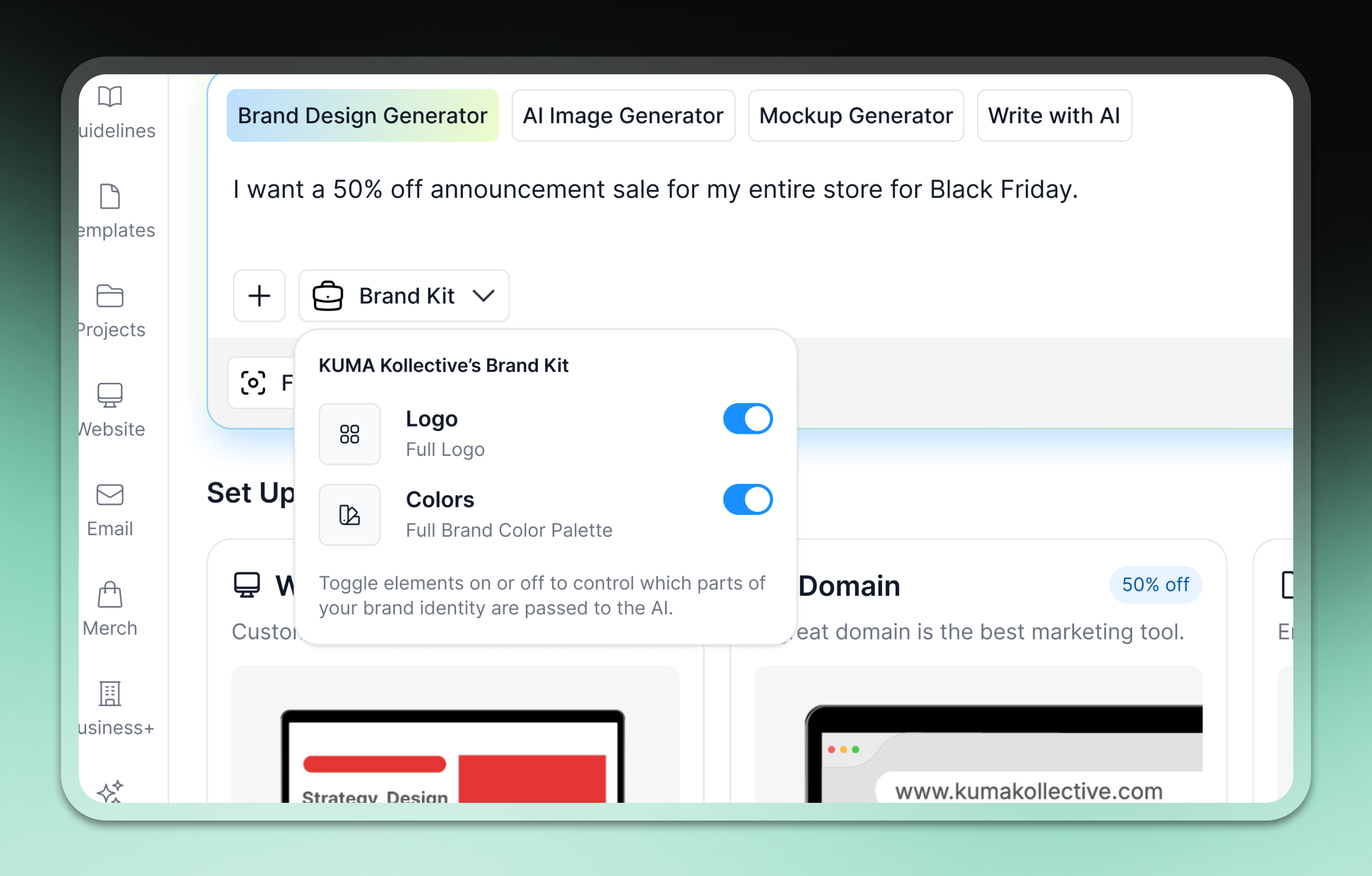
Outputs pulled in the user's existing logo, colors, and fonts, so the first result already felt like theirs. Toggles still gave users the flexibility to turn that brand data on or off for themselves at any point.
Key Takeaways from the Brief

The Brand Kit toggle, letting users turn their logo and colors on or off before generating.

Flexible Prompt Component

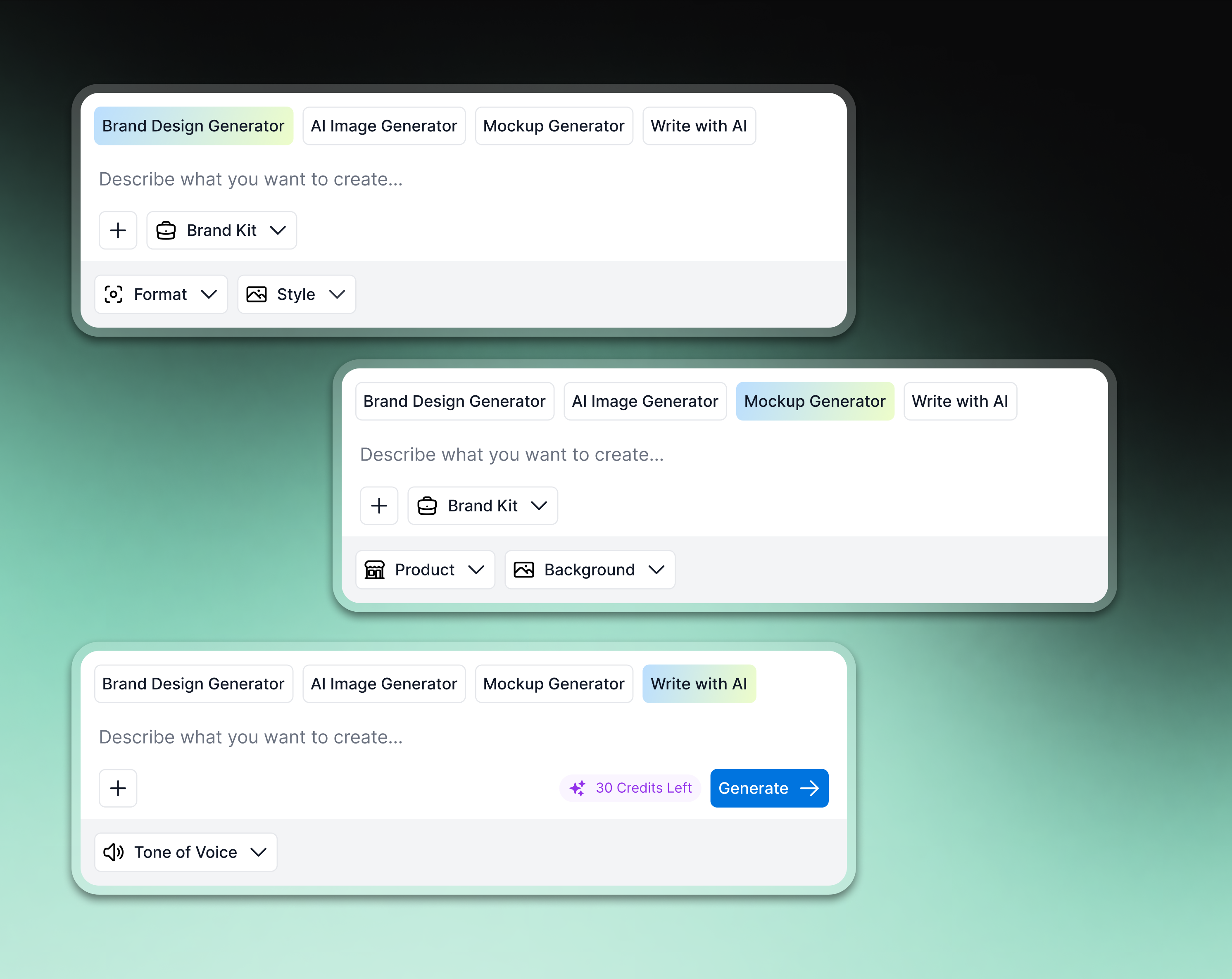
The same prompt structure was built to live anywhere on the platform and output different kinds of content, a branded design, written copy, or a product mockup, making it reusable wherever generation was needed.
Key Takeaways from the Brief

The same prompt component adapting its controls across brand design, mockup, and copy generation.

Visual Communication

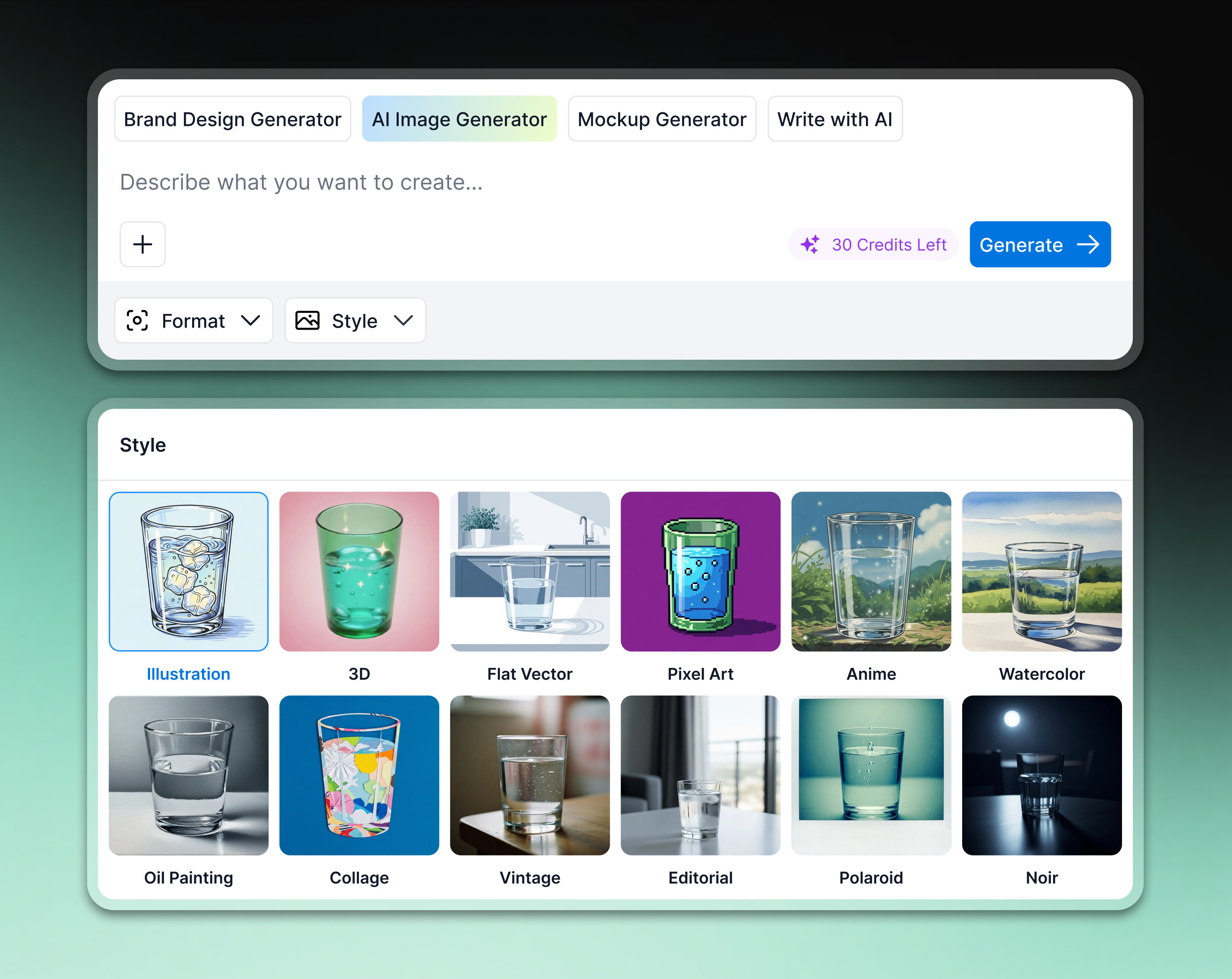
Communicating style options with imagery rather than labels made it easier for users to show what they liked rather than describe it, and often helped them clarify what they actually wanted in the first place.
Key Takeaways from the Brief

Style options shown as images rather than labels, using the same subject across every option for direct comparison.

Magical Loading State

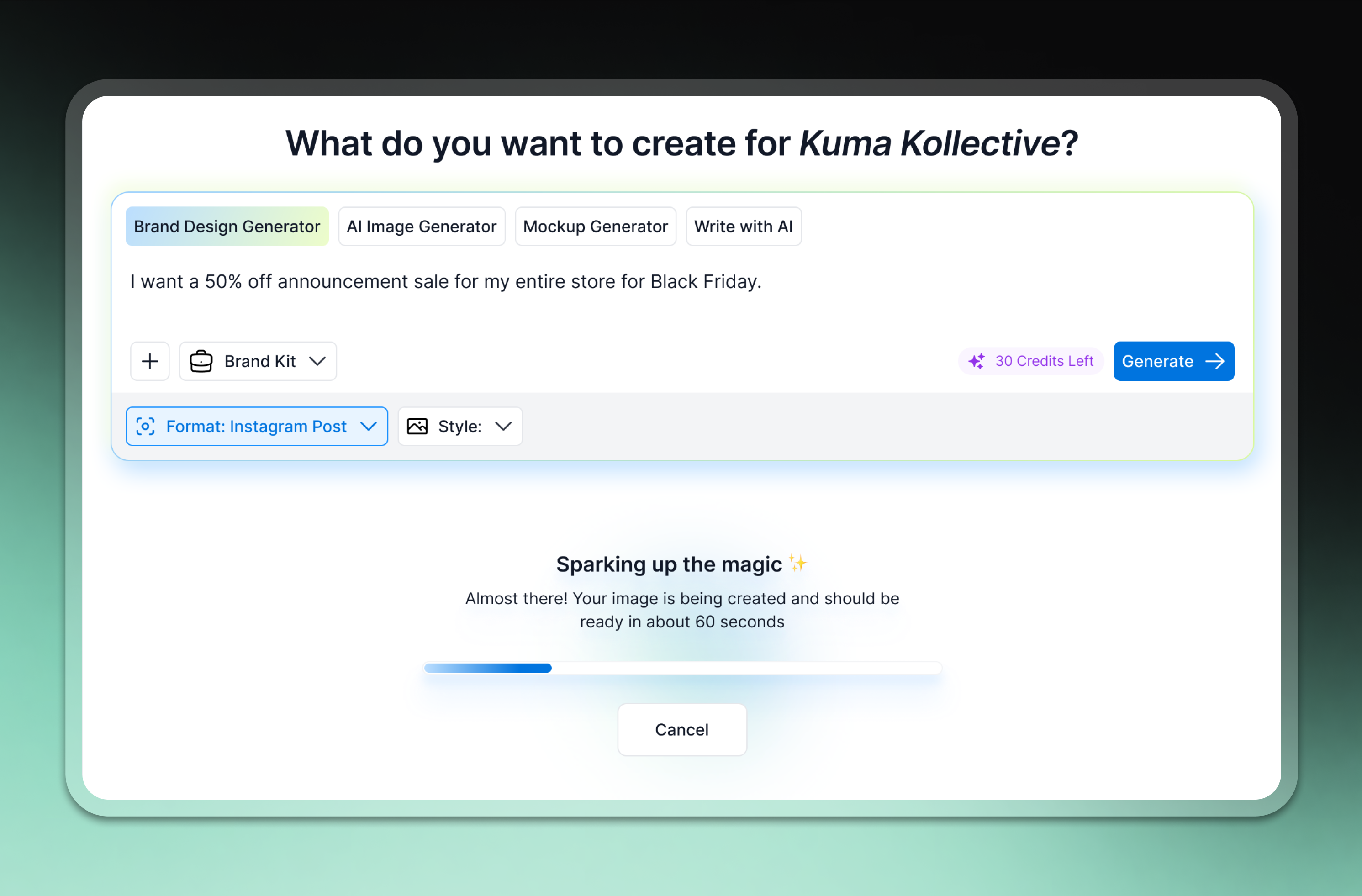
A spinning gradient loader, progress bar, and clear status text kept users engaged and reassured during generation, so they stayed through to the result instead of dropping off mid-generation.
Key Takeaways from the Brief

Generation loading state.

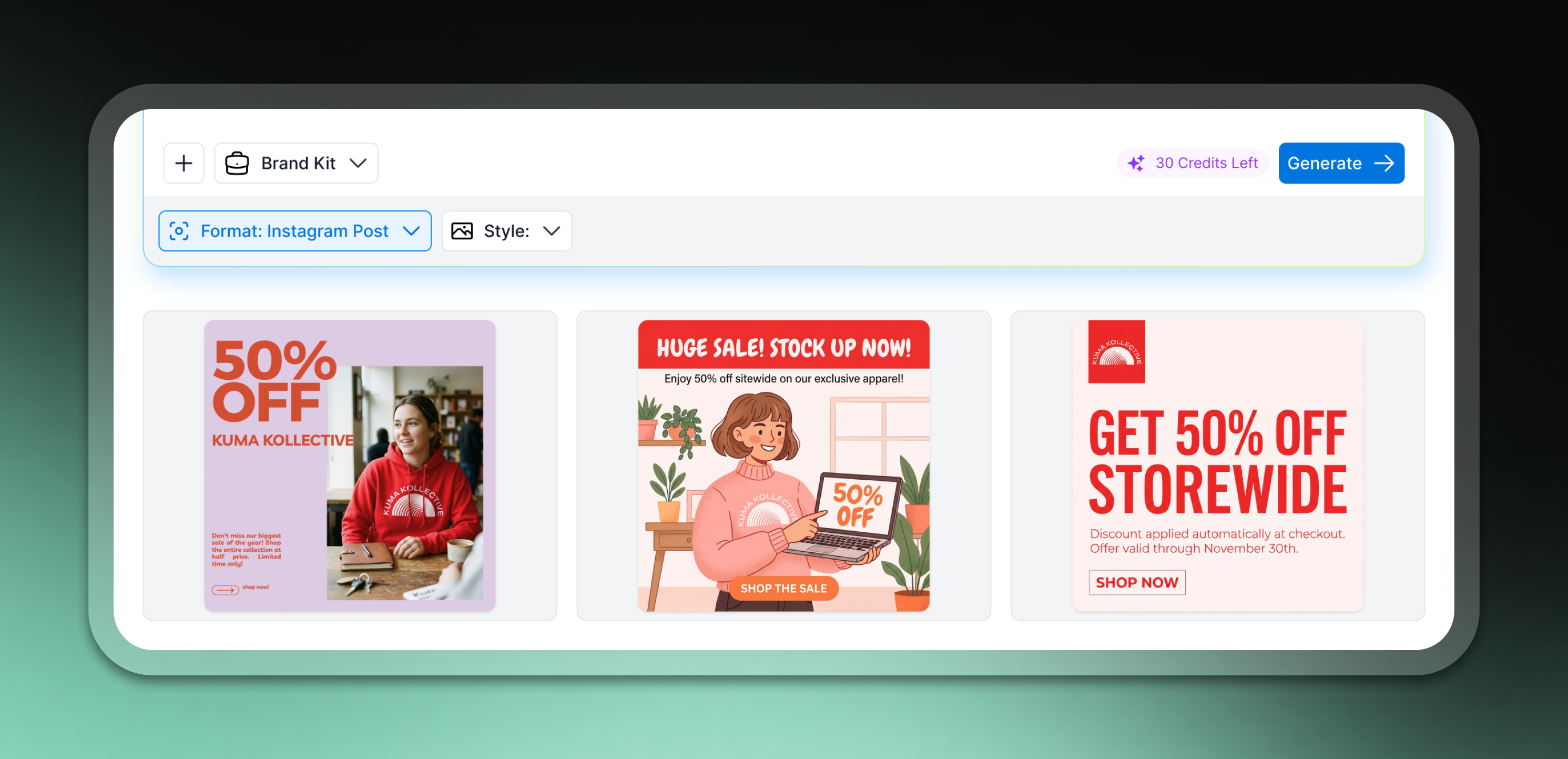
Multiple Generations

Users received multiple generations per prompt, in hopes of a higher chance that one of the results would resonate. More options upfront meant a higher chance of something clicking.
Key Takeaways from the Brief

Three distinct outputs generated from a single prompt, giving users multiple directions to choose from.

Refinement

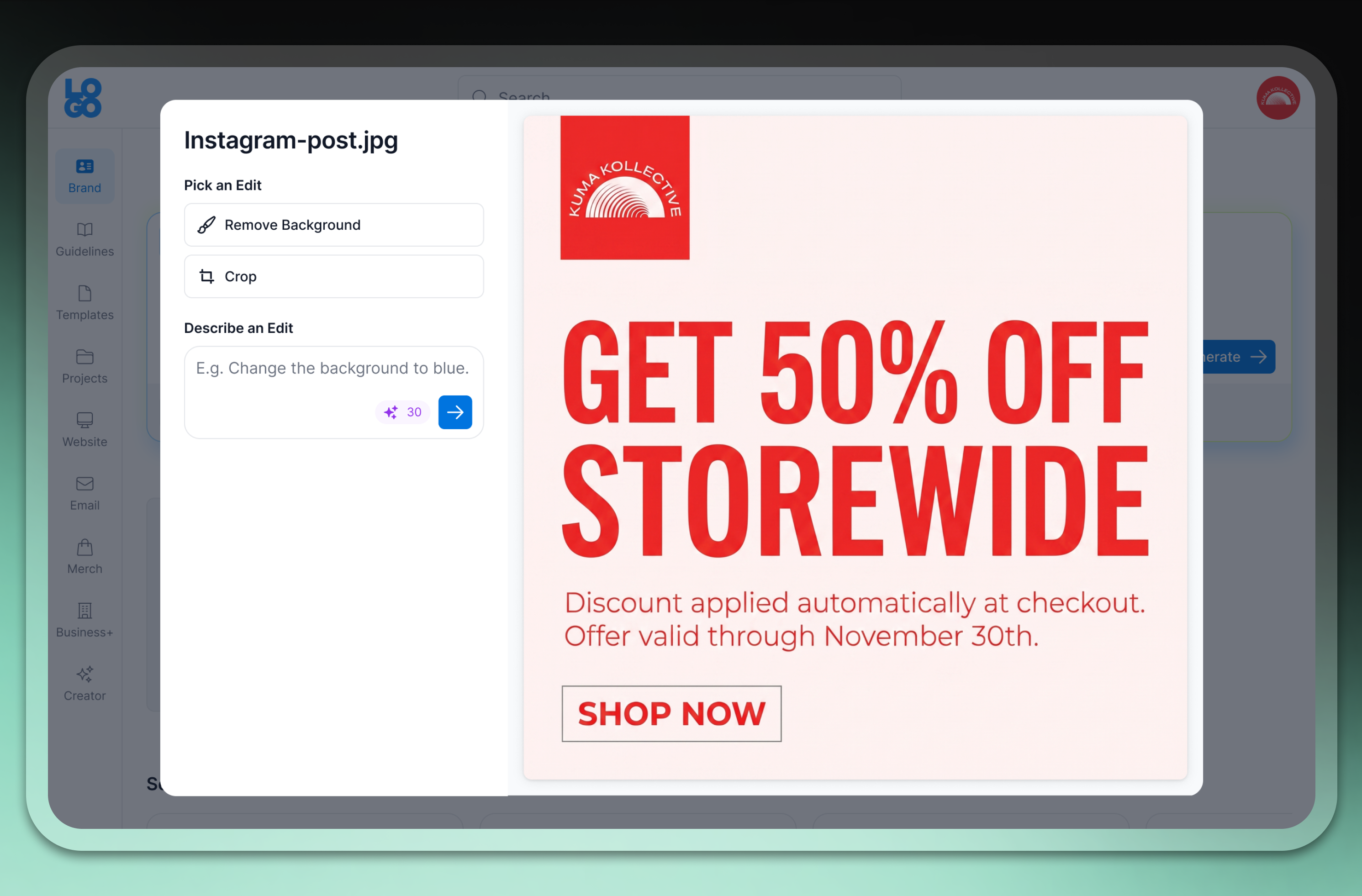
Users could edit a generated image by describing the change in a dedicated modal, refining a result without starting from scratch. This modal was also a bridge to the eventual chat experience, where edits would continue in one flow instead of resetting each time.
Key Takeaways from the Brief

The edit modal, letting users describe a change and regenerate without starting over.
Impact

01. Zero to AI
Adoption of all AI tools grew 31% in four months, reaching 17K+ monthly active users.
02. Successful Pattern
Consolidated 5+ separate AI tools and entry points into a single reusable prompt component, cutting the time needed to design and ship the next one.
03. Quick Momentum
The new prompt component grew roughly 4x in monthly users following the Phase 2 launch.

Final Thoughts

Reflection

The biggest challenge throughout this project was the lack of any existing reference. There was no prior AI flows on the platform to build from, and no data on how users would respond to AI as a concept at all. Working through that taught me how valuable it is to ship something small early just to learn fast, rather than waiting for a complete version to test a hypothesis. It also reinforced how much smoother a phased rollout goes when the team is aligned on the full plan up front, so open questions get surfaced and resolved early instead of stalling a phase longer than it needs to.

More Projects