Final Design
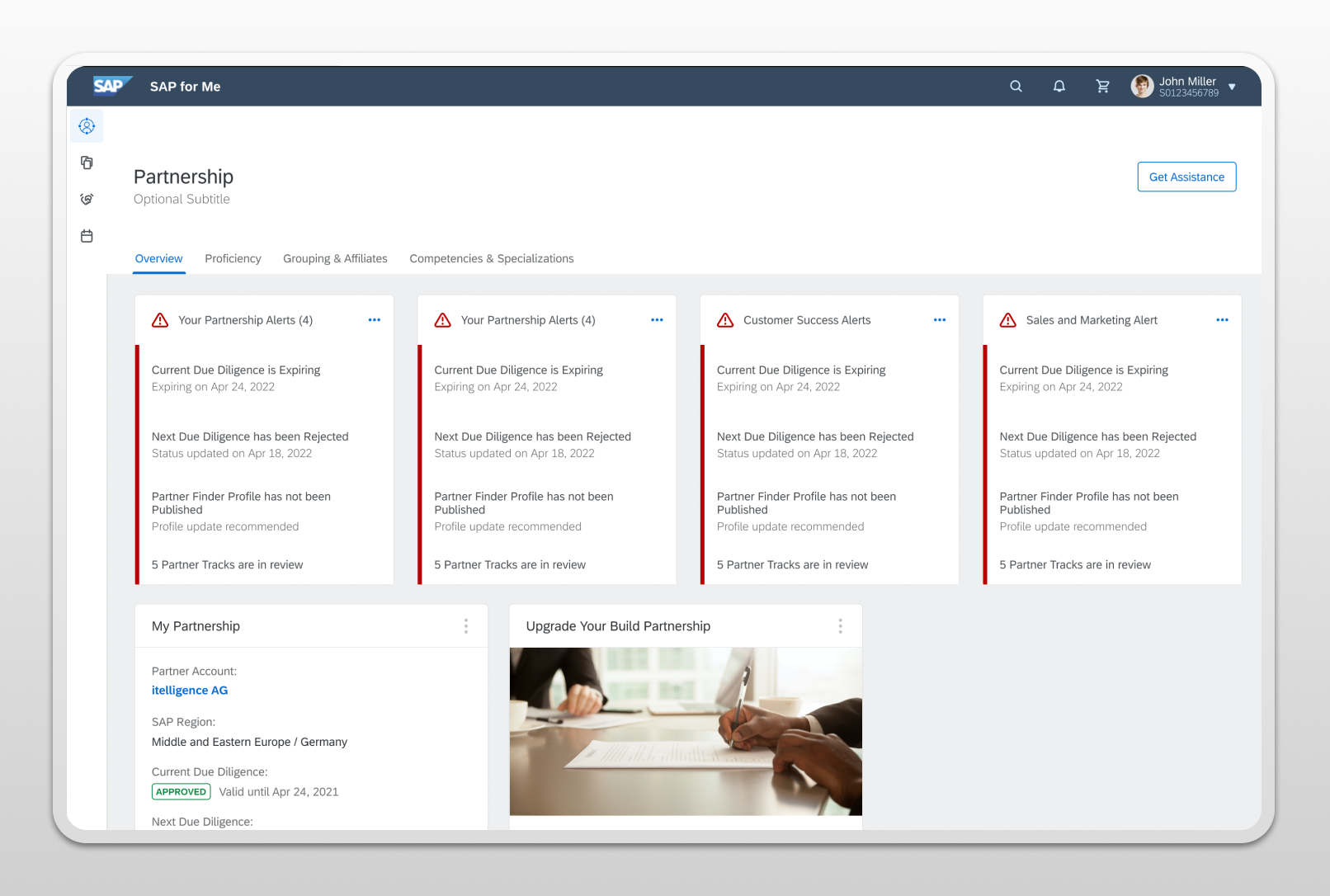
Entering the Overview tab, Partners are presented with 9 unique informational cards for quick access to relevant data while maintaining visibility and access to important alerts, action items, and additional resources.
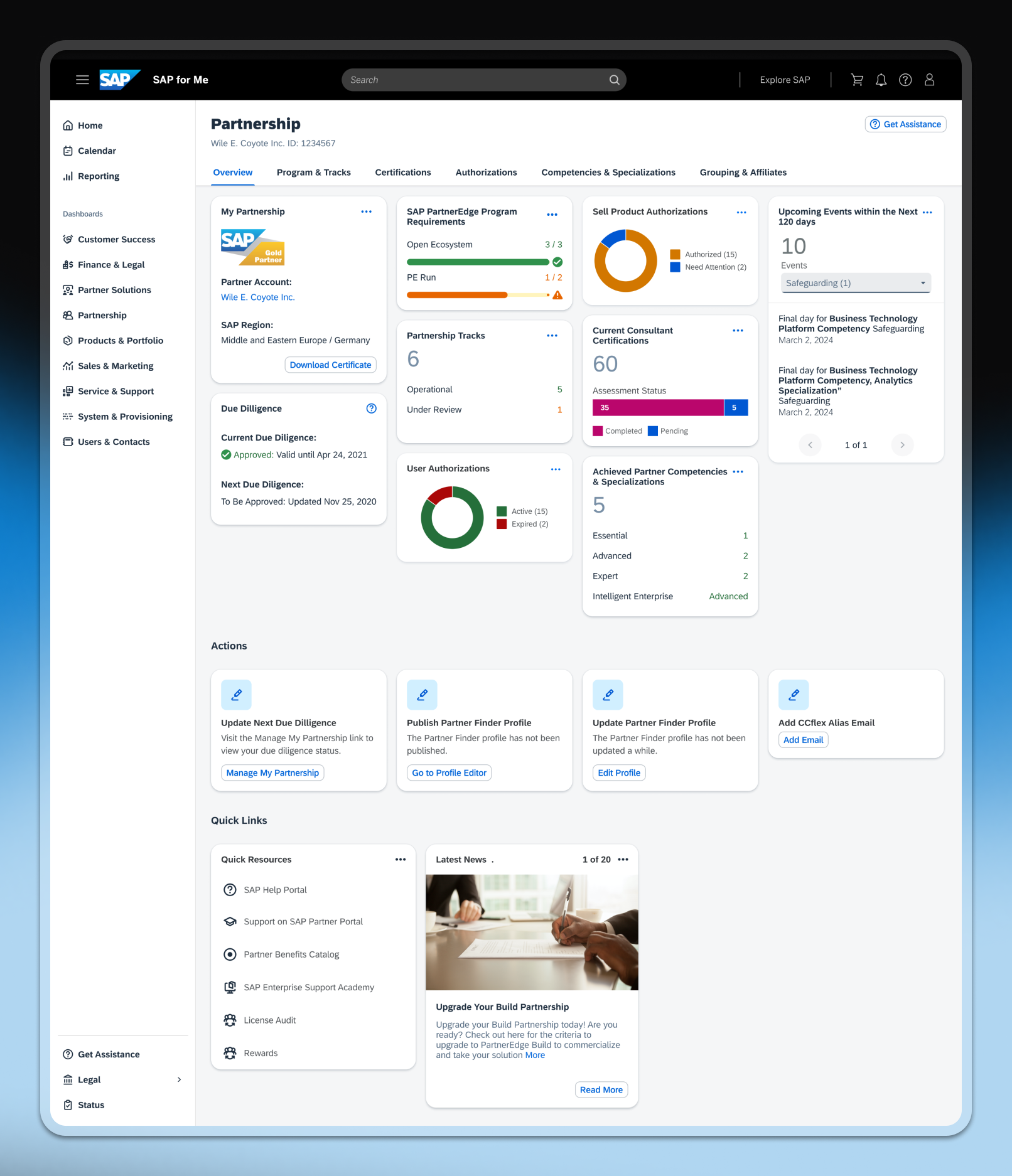
Full view of the overhauled Overview tab.
Informative, but also navigational
Each top-level card was designed to correspond directly to a sub-page, so clicking a card navigated the partner to the relevant deeper view. This created a consistent mental model. The overview wasn't just informational but rather a navigation layer that reduced clicks for the most common daily tasks.
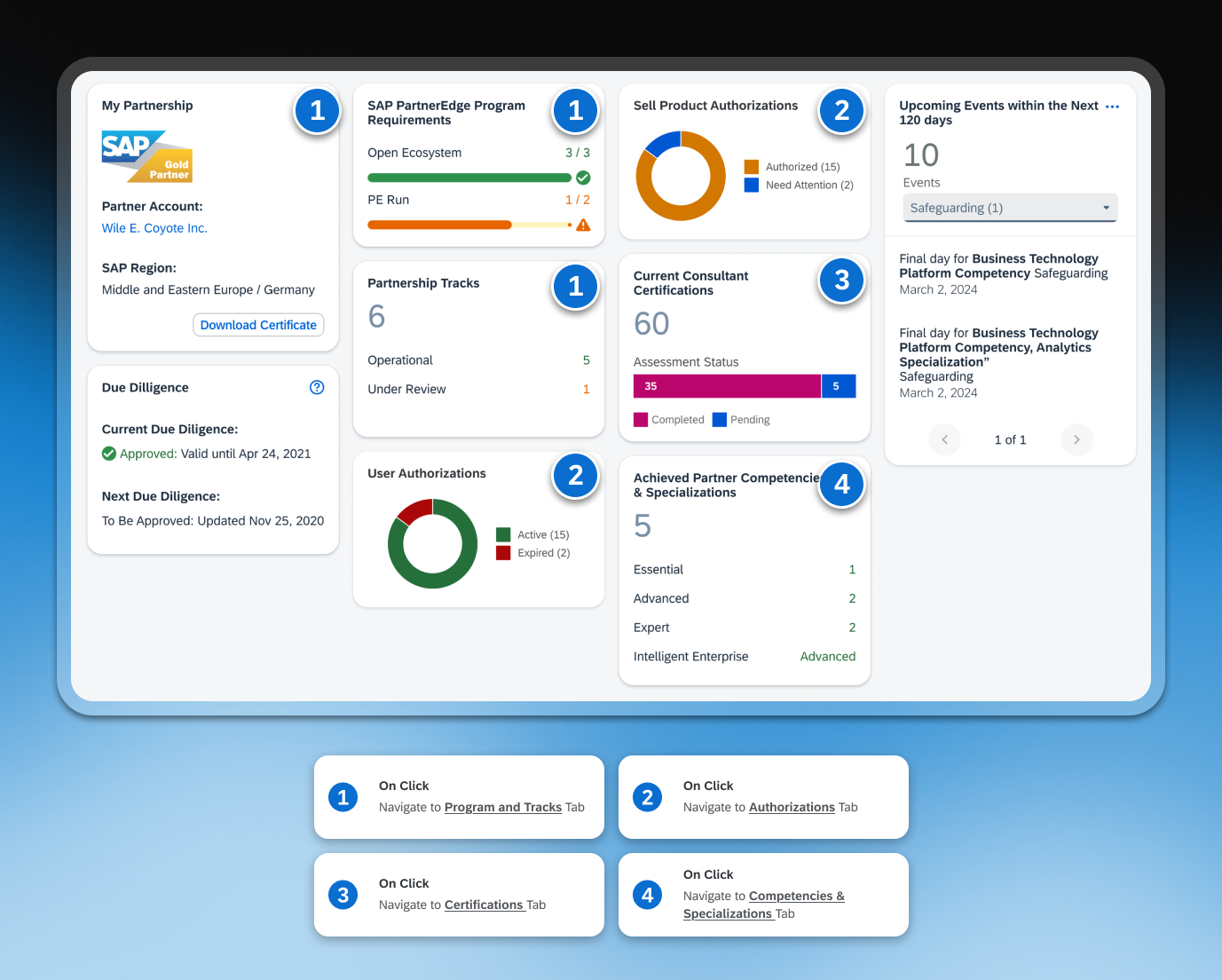
Annotated handoff showcasing the expected tab to navigate users to when clicking on the cards.
Time-bounded events view
A 120-day window ensured partners saw upcoming events with enough time to act, without being overwhelmed by distant deadlines. Dropdowns allowed partners to filter by alert type, while pagination kept cards scannable regardless of how many events were active.

Examples of alerts that could exist within this card.
Actions and resources at a glance
Each action card named a specific task, from updating due diligence to publishing a Partner Finder profile, with a direct link to complete it. Quick Links kept key resources and news within reach, without needing to leave the overview.
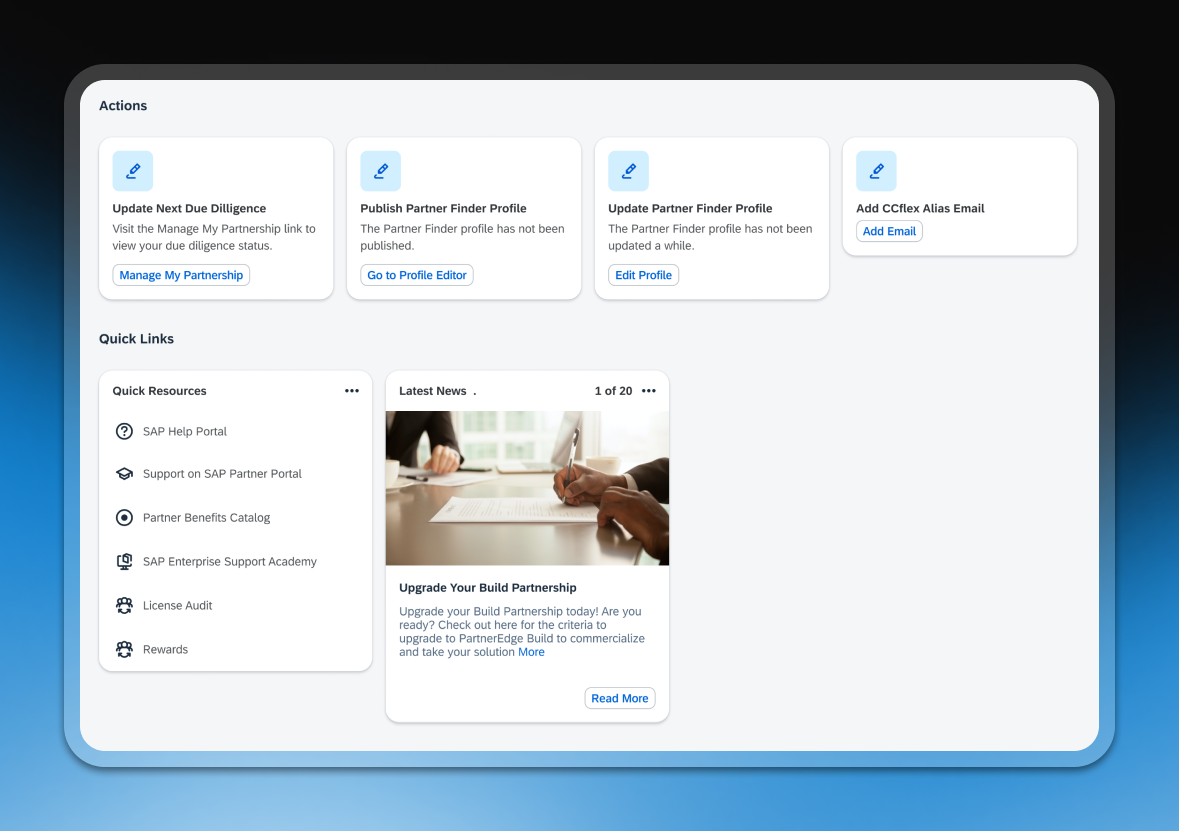
The Actions and Quick Links sections ensured the overview served as a complete starting point for managing a partnership.